
Find Someone on Bluesky When Name Search Stops Working

Editorial guide

Find Someone on Bluesky When Name Search Stops Working

When Bluesky search misses the account, move from handle checks to indexed profile clues, contact limits, and stronger identity cross-checks before you trust a match.

Find Someone on Bluesky When Name Search Stops Working
Reader route
Primary intent Fast orientation
Cross-check next Records & comparisons
If the record is yours Move to opt-out
Published May 25, 2026
Briefing

Start with the strongest public clue you have, then move outward: full handle format, post-search clues, indexed profile pages, contact limits, and only then deeper checks tied to email, phone, or profile photos. That order keeps you from trusting the first similar-looking account that happens to share a name.

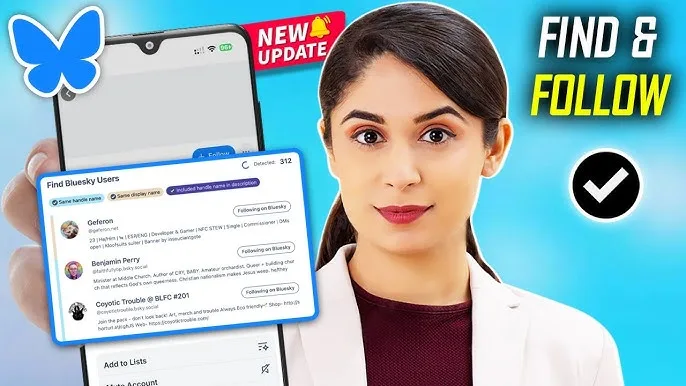
How to Find and Follow People on Bluesky (Simple Guide)

How toFindand FollowPeopleonBlueskyLearn how tofindand followpeopleonBlueskyto build your social network.

  • Channel: Click Guide

Video source: Click Guide

Rapid read

Key takeaways

  • 01Search the full handle first because Bluesky profiles often surface more reliably with the complete username and domain.
  • 02If native search stays thin, use indexed profile pages and post clues before jumping to a guess.
  • 03A match gets stronger only when the handle, public activity, and outside identity clues all point to the same person.
01

Start with the full Bluesky handle and the public clues already attached to it

Bluesky handles behave more like full account addresses than casual display names. If you only search a first name or a shortened username, the account may never rise high enough to look convincing.

Use the most complete version of the identifier you have. A full handle, a repeated username from another platform, or a phrase pulled from a recent post gives you a better starting point than a broad name search alone.

  • 01Search the full handle when you know it, including the domain portion.
  • 02Try older usernames or repeated handles from other social platforms.
  • 03Use post wording, hashtags, or a distinctive phrase when the display name is too common.
Find Someone on Bluesky When Name Search Stops Working
02

Use indexed profile pages and public post clues when the native search stalls

Public Bluesky profiles can appear in search engines even when Bluesky itself does a poor job surfacing them. A targeted site search often shows whether the person used their real name, a known alias, or a familiar handle anywhere on the profile page.

This step is especially useful when you know the person is on Bluesky but the in-app results stay crowded with lookalikes. Search-engine results and public post snippets can narrow the field before you decide which account deserves a closer look.

  • 01Run a site search for bsky. app plus the full name or known handle.
  • 02Compare profile snippets with the same city, employer, school, or topic pattern you already know.
  • 03Treat one indexed result as a lead, not as final proof of identity.
Find Someone on Bluesky When Name Search Stops Working
03

Know what contact import can and cannot confirm

Bluesky contact discovery helps most when both people have shared compatible contact data and allowed the same discovery path. That makes it useful for real-life contacts, but much less reliable for a search tied to an unfamiliar person or an old number.

Because of that limit, a missing contact match should not be treated as proof that the account does not exist. It only tells you the platform has not connected the two profiles through that narrow method.

  • 01Use contact discovery as a convenience check, not as your main search strategy.
  • 02Expect weak results when the other person never imported contacts or linked a different number.
  • 03Do not rule out a profile just because Bluesky failed to suggest it through contacts.
04

Cross-check email, phone, or profile photos before you trust the account

When name and handle search still leave you with maybes, switch to stronger identity anchors. An email address, phone number, or profile photo can tell you whether the same person appears across more than one public account or lookup trail.

The goal is not to collect every mention online. The goal is to see whether the Bluesky profile matches the same person across several clues without forcing the details to fit.

  • 01Use reverse email or reverse phone checks to see whether the same identity appears around the account.
  • 02Compare profile photos against other public profiles when the handle alone is weak.
  • 03Back away when the account name looks right but the outside clues point to another city, age band, or activity pattern.

FAQ

Frequently asked questions

01What should be checked first when Bluesky search does not find the person by name?

Check whether you can search the full handle or a repeated username from another platform. That usually works better than a broad display-name search because Bluesky accounts often surface under the complete handle format.

02Can Bluesky contact discovery confirm a stranger's account?

Usually not. Contact discovery is most useful when both people shared compatible contact data through Bluesky. For unfamiliar people, it is a limited clue rather than a reliable proof step.

03When is a Bluesky match strong enough to trust?

Trust the account only when the handle, public activity, and at least one outside clue such as email, phone, image, or indexed profile history all point to the same person without major contradictions.